Common Issues
The Data team is here to help you with all Thrivestack needs! The purpose of this training is to empower Performance teams to troubleshoot common issues themselves.
If you encounter any issues or have any questions, reach out to the #help-data-support Slack channel. Any troubleshooting issue should be supplemented with all steps you took to troubleshoot yourself.
Examples include:
- Checking the log details and seeing the last time the job successfully ran
- Ensuring the job is running on a schedule
- The job is active
- Re-running the job and it still fails
Here are some more tips on how to troubleshoot common issues we encounter daily.
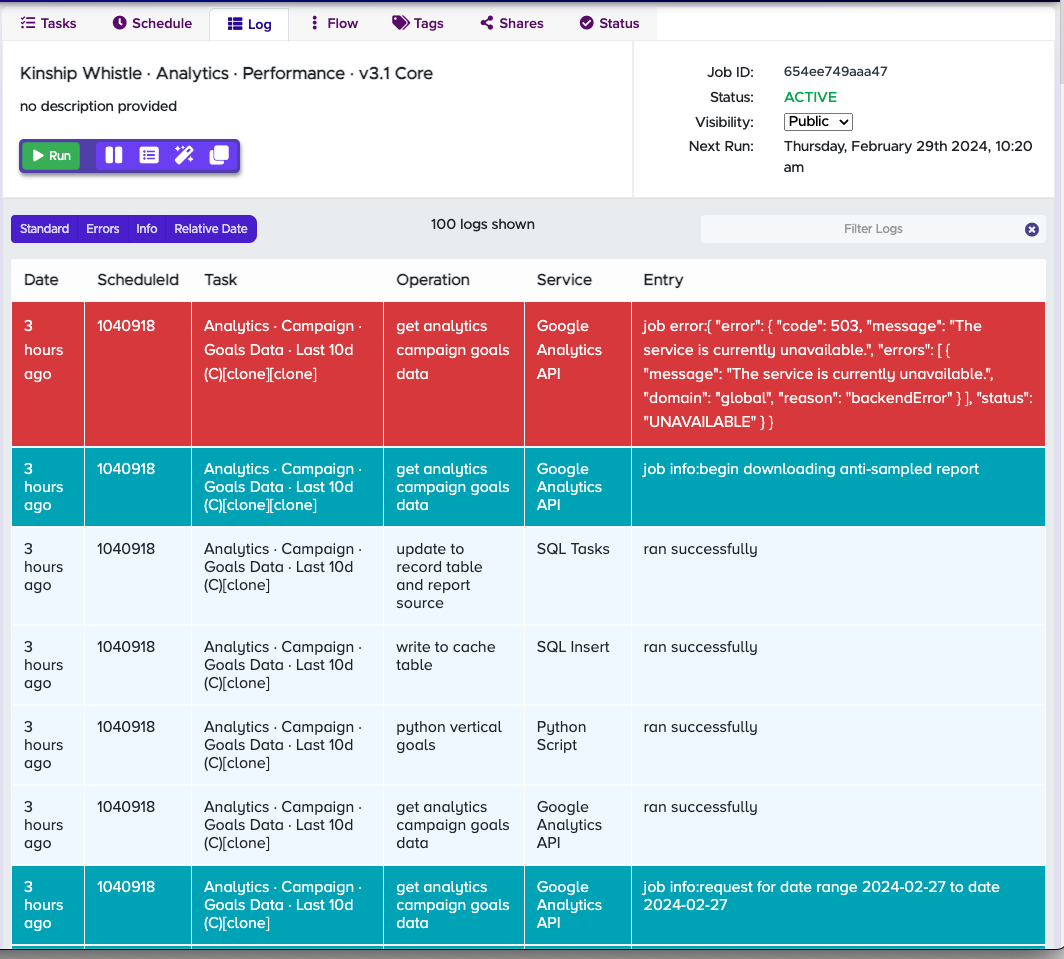
503 error
Problem: API error - service overload
Solution: Re-run the job
Next Steps: If issue persists, try re-running the job at a later time
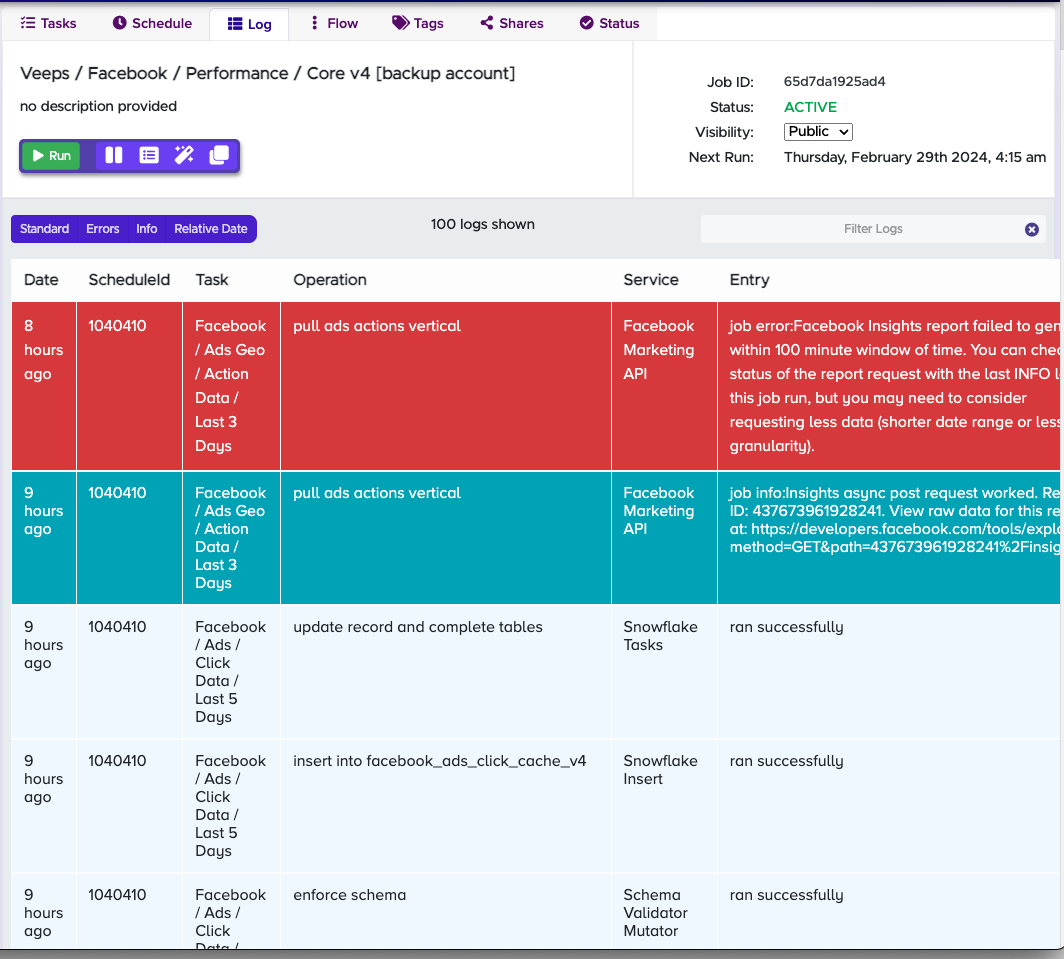
Timeout error
Problem: API error - job took too long to run
Solution: Re-run the job
Next Steps: If issue persists, try re-running the job at a later time
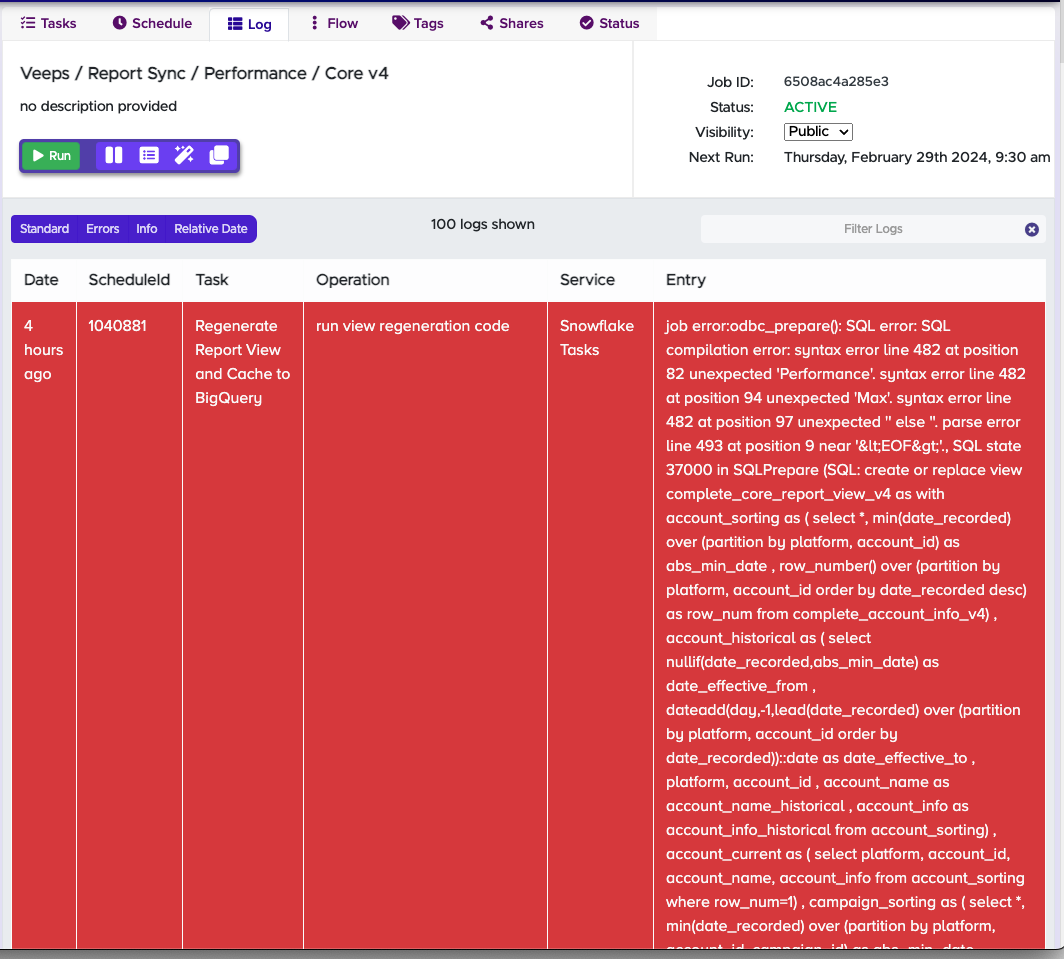
SQL error
Problem: SQL syntax error in database
Solution: Reach out to the Data team
Next Steps: Submit a message to #help-data-support and provide job details and error seen
When in doubt, re-run your Thrivestack job as this is the solution to most common issues we come across. Just make sure to double check the job schedule.